Cooktop Repair
Samsung gas, electric and induction cooktop repair across San Francisco and the Bay Area: burner, zone and touch-control faults diagnosed before any…

Specialized Samsung Appliance Repair in San Francisco
Mon–Sat: 8:00 AM – 7:00 PM
Learn how the three cooktop types behave, what the codes say and what to check from the outside.
A built-in Samsung cooktop sits in the countertop above a cabinet or wall oven, which makes it easy to overlook until a burner or zone stops responding. This guide explains the three cooktop technologies and shows how to work out what you own.
Gas cooktops use sealed burners with igniters. Most complaints involve a burner that clicks without lighting, a flame that looks uneven, or a cap that is not seated correctly.
Electric radiant units heat glass-ceramic zones from below. Problems tend to show up as a zone that stays cold, one that never switches off, or a touch control that stops responding.
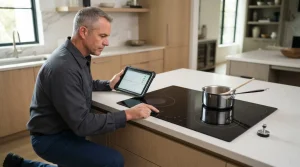
Induction cooktops heat the pan itself, so the pan has to be the right material, size and position. A zone that refuses to start is often a pan question before it is a component question; see the pan detection post.
A cooktop label is usually on the underside of the unit or on the cabinet frame beneath it, which can be hard to reach once the unit is installed. Look for a printed sticker in the cabinet below, or check the paperwork from the installation. The owner manual and any receipts often list the number too.
Cooktop entries include C0 for a burner temperature sensor error, F0 for a communication error between boards, d0 for a stuck-button condition, UP when the cooktop sees voltage outside its normal range, and underlined u for induction pan detection. See all of them in the error code library.
A gas smell means leaving the home, touching no switches and calling the gas utility or 911 from outside. Cracked glass on a radiant or induction unit means switching it off at the breaker and not cooking on it.
The Samsung cooktop repair page covers how a visit runs. Send the details, including photos of any label you can find, through the contact page. Diagnosis comes first, with a written estimate and no repair until you approve it.
Built-in cooktops depend on the cabinet and countertop cutout, ventilation above, and the wiring or gas line below. A hood that is not working lets heat and grease reach the controls, and a gas cooktop that was moved can have a loose burner base. Induction units need clear airflow underneath, so a drawer or pan rack crowded against the underside can lead to overheating protection. Knowing what sits above and below your cooktop helps narrow the cause.
If you are not sure whether yours is gas, radiant or induction, a photo of the surface and any controls is enough for us to tell.
Condos with shared kitchens or rented flats with older cutouts sometimes hide the label entirely. In that case, note the brand marks on the glass, the burner count and the control style, and share them with your request. That detail lets us plan the visit, prepare the right questions and avoid a wasted trip.
An induction surface stays cool beside the pan, uses a flat glass top and only responds to suitable magnetic cookware.
Usually on the underside or the cabinet frame below it. Installation papers and the manual may list it as well.
Dry the panel, remove anything resting on the controls, then switch the breaker off briefly and back on once.
No. Switch it off at the breaker and arrange an inspection before cooking on it.
Flat-bottomed pans that a magnet sticks to. Pans that are too small, warped or non-magnetic often trigger a detection message.
Samsung gas, electric and induction cooktop repair across San Francisco and the Bay Area: burner, zone and touch-control faults diagnosed before any…
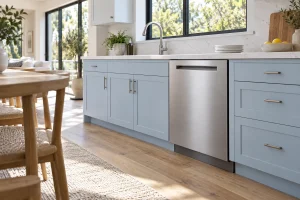
The Samsung dishwashers we repair in San Francisco kitchens, with common drain, fill, drying and leak complaints plus safe owner checks.
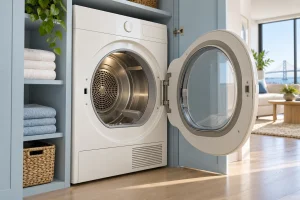
Electric, gas and heat pump Samsung dryers we repair in San Francisco, with vent-related symptoms, codes and safe owner checks.
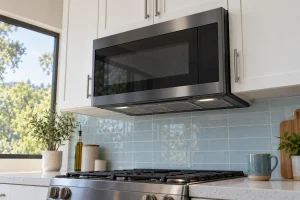
Samsung over-the-range and countertop microwaves we repair in San Francisco, with common faults, display codes and outside-only owner checks.
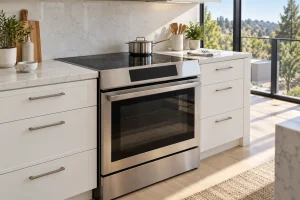
Samsung gas, induction and dual-fuel ranges we repair across San Francisco, with igniter, oven heat and panel complaints and safe owner checks.
Browse the Samsung French-door, side-by-side and top-freezer refrigerators we repair across San Francisco, with Bespoke and Family Hub models.
A guide to the Samsung top-load, front-load and combo washers we repair around San Francisco, with the common symptoms, codes and safe…
Share a few details and we’ll confirm an appointment. Prefer to talk? Call us and we’ll help right away.