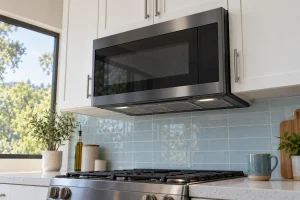
Microwaves
Samsung over-the-range and countertop microwaves we repair in San Francisco, with common faults, display codes and outside-only owner checks.

Specialized Samsung Appliance Repair in San Francisco
Mon–Sat: 8:00 AM – 7:00 PM
No heat, a door that will not register or sparks inside the cavity: we explain what is wrong before you decide on a repair.
A microwave is one of the few appliances where the quiet failure is the dangerous one, so we are careful with what an owner should and should not try. Samsung over-the-range models double as a hood and a light, and countertop models sit wherever the outlet is. Both can run into the same handful of problems: no heat, a turntable that stops, a door that will not register as closed, or noise and arcing inside the cavity.
If the display lights and the fan runs but the food stays cold, the heating side has stopped working, which is a high-voltage matter that belongs to a technician. If the panel is blank, the cause may be as simple as a tripped GFCI or breaker, or a failed control board. We tell the two apart by testing, not by guessing from the symptom. A plate that rotates unevenly or not at all usually involves the turntable support or motor.
Flashes inside the cavity can come from metal, a scorched food residue, a worn waveguide cover or damaged interior coating. Stop the cycle immediately. Our troubleshooting note on a microwave that sparks or arcs inside lists what to look for and why you should not keep testing it with food.
The door must register closed through a set of latches and switches. If the microwave starts then stops, ignores the Start key, or says the door is open when it is shut, check for food residue or a bent hinge area before assuming a part failed. Samsung’s library groups a few of these messages together:
Write down the code exactly and what you were cooking when it showed up.
Pay attention to the order of events. A unit that clicks, hums and stays cold behaves differently from one that never starts, and a unit that stops partway through a cycle points to temperature, door or sensor limits. Short, repeated beeps usually mean the controls are not getting a signal they expect. A fan that keeps running after the cycle ends can be normal cooling, but a fan that never stops, or a unit that smells hot, deserves attention. The more precisely you can describe the sequence, the faster the cause narrows.
Over-the-range microwaves hang from a mounting plate and a top bracket, vent through the hood duct or recirculate through a filter, and plug into an outlet in the cabinet above. A clogged grease filter or blocked vent can make the unit run hot and trip safety limits. If the microwave sits over a gas range, steam, heat and grease from the burners below make the cooling and sensor complaints more common. Countertop models need open space around the vents and should not share an overloaded extension cord. In a small flat kitchen the outlet is sometimes behind a cabinet, so access shapes the visit.
Never open the casing, even when unplugged. The internal capacitor can hold a charge after the power is off. Do not tape the door or defeat the switches.
Most service calls on microwaves start with a kitchen habit. Splatter left on the ceiling of the cavity, a cracked turntable ring, covered dishes that trap steam, and grease soaked into the hood filter all add up. Wipe the interior regularly with a damp cloth, keep the vent grille clear and avoid running the unit empty. These steps do not fix a failed part, but they keep small faults from turning into large ones.
Any visible arcing, smoke, burning smell, damaged door seal or a door that does not close squarely means unplug it or switch off the breaker and leave it alone. A hood-mounted model that is loose on its bracket should not be used until it is checked, since it carries real weight over a hot stove.
Look on the cavity wall, the door frame or the back plate. An ME prefix identifies an over-the-range microwave, and MC and MS identify countertop models. Our Samsung microwaves page lists the lineup, and individual pages cover the Samsung ME21DB650012AA repair, the Samsung ME11CB751012AA repair, the Samsung MC12DB8700CKAA repair and the Samsung MS19DG8500MTAA repair. If the label is out of reach above a stove, a clear photo is fine.
Property managers often ask about a hood-mounted microwave that has failed between tenants. Send us the label, the symptom and any code, and we can say what the visit will involve. In towers and older flats, tell us about elevator booking and where the unit sits so the cabinet above can be reached safely.
We check power, door switches, the cavity and controls, then explain what we found. You receive a written estimate first, and nothing is repaired without your approval. Sometimes the honest answer is that a countertop microwave is not worth repairing, and we tell you that plainly. If the hood sits above a Samsung range with its own issues, see Samsung range and oven repair.
Stop using it and note whether any code shows. Lost heating is a diagnosis for a technician, not a reset.
Mounting involves a wall plate, a top bracket and an outlet above the cabinet. A fall or a loose bracket is a real hazard, so we advise having it handled by someone experienced.
Residue, a worn latch or a misaligned door can prevent the switches from closing. Clean the edges first, then call if it persists.
Not until the cavity is inspected. A single flash from a metal object is different from repeated arcing, but you should look for burn marks first.
Heat, steam and a dirty filter can trigger a protective stop. Clean the filter and vent, and tell us if the code points to temperature or cooling.
Samsung over-the-range and countertop microwaves we repair in San Francisco, with common faults, display codes and outside-only owner checks.
Samsung gas, electric and induction cooktop repair across San Francisco and the Bay Area: burner, zone and touch-control faults diagnosed before any…
Diagnosis for Samsung dishwashers in San Francisco and the Bay Area, covering drain faults, leaks, fill problems and noisy pumps in tight…
Diagnosis for Samsung electric, gas and heat pump dryers in San Francisco and the Bay Area, from long dry times to door…
Diagnosis for Samsung gas, electric, induction and dual-fuel ranges and wall ovens in San Francisco and the Bay Area, with a written…
Diagnosis for Samsung French-door, side-by-side and top-freezer refrigerators in San Francisco and the Bay Area, from warm compartments to ice makers.
Diagnosis for Samsung front-load, top-load and combo washers in San Francisco and the Bay Area, covering fill, drain, door and vibration problems.
Share a few details and we’ll confirm an appointment. Prefer to talk? Call us and we’ll help right away.