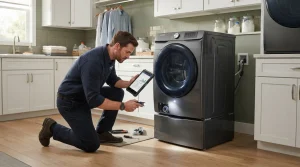
Samsung washer owners in San Francisco and around the Bay Area can book through Samsung washer repair or by phone at (415) 969-6153. Mention E2 or the exact variant on the display, the model number, and whether you already freed each panel button.
Model compatibility: Samsung reuses codes across series and model years, so E2 / bE2 / 6E2 / BE2 / 8E2 may mean something different on another appliance or generation. Confirm this against your model’s documentation and record your full model number before acting.
Plain language
What this code means
E2, bE2, 6E2, BE2 and 8E2 report a stuck control button, and a legacy E2 reports a drain failure.
Important safety warning. Do not attempt repairs involving electrical components, gas, water lines, refrigerant or sealed systems. Unplug the appliance if it is safe to reach the outlet, and leave internal diagnostics to a qualified technician.
Seeing this code on your Samsung appliance?
Book a specialist visit for a clear estimate and approval before any repair.
You submit a request with your appliance model and symptom, we confirm an appointment window, and a technician performs an on-site diagnosis. You then receive a clear estimate and decide whether to proceed before any repair begins.
Yes. We provide an upfront estimate after diagnosis. No parts are ordered or installed until you approve the work, so there are no surprise charges.
Replacement parts are selected for the exact model and confirmed with you before ordering or installation.
Service areas are listed on the Locations page. Contact us with your ZIP code to confirm current coverage for your address.
Ready to get your Samsung appliance working again?
Book a repair online or call us — clear estimates and approval before any repair work begins.