VERIFIED
If your Samsung dryer shows any of dC, dE, dF, do, d0, 1 DC or 1 dF, the door is the subject. Each reading concerns the door, its latch, or the sensors that report whether the door is secured. None is tied to particular models.
Why the display complains
- The door does not stay shut.
- The door does not close all the way.
- The latch does not catch.
On the UK list, dC and dE are worded as an open door. The Russian list also reads dC that way and names something blocking the door or a bad door lock as reasons.
Checks to run, in sequence
- Confirm the latch is fixed firmly in place.
- Remove any clothing or other items stuck in the doorway.
- Push the door shut until it is properly secured and start the dryer again.
- See whether Child Lock is switched on. The UK page says the message can show when you open the door even though no cycle is running.
Per the UK page, you can also unplug the dryer and leave it for at least 30 seconds before plugging in again, so the control board can reset.
When it reads dF
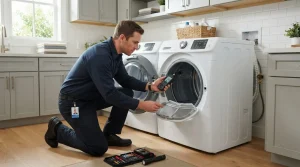
The UK page treats dF as a wrong door switch. It directs attention to the wiring of the door and lock switch circuit and warns that the full door lock or switch might have to be replaced. Unplug the dryer and hand that job to a technician.
Nearby codes
- CL: Child Lock is on, not a fault, though it can lock the door.
- dn: a firmware download is running.
- FC: an invalid power source frequency.
Samsung dryer repair when the door codes stay
A damaged door or latch, or a code that will not clear, is a reason to call (415) 969-6153 about Samsung dryer repair in San Francisco and the Bay Area. Have the code on the screen, the model number and the checks you finished written down before you dial.
Model compatibility: Samsung reuses codes across series and model years, so dC / dE / dF / do / d0 / 1 DC / 1 dF may mean something different on another appliance or generation. Confirm this against your model’s documentation and record your full model number before acting.